A Japanese paper planner, reborn
A paper planner is a two-page object.
iPhone Duo finally gives it a screen.
Koyomi Planner brings the Japanese techo to iPhone, iPad and Apple Watch: a calendar with Japanese calendar culture built in, handwriting with Apple Pencil, voice memos that link to your ink, an on-device AI secretary, and a private Life dashboard.
Made by a solo developer in Nara, Japan. No ads, no accounts, no analytics.
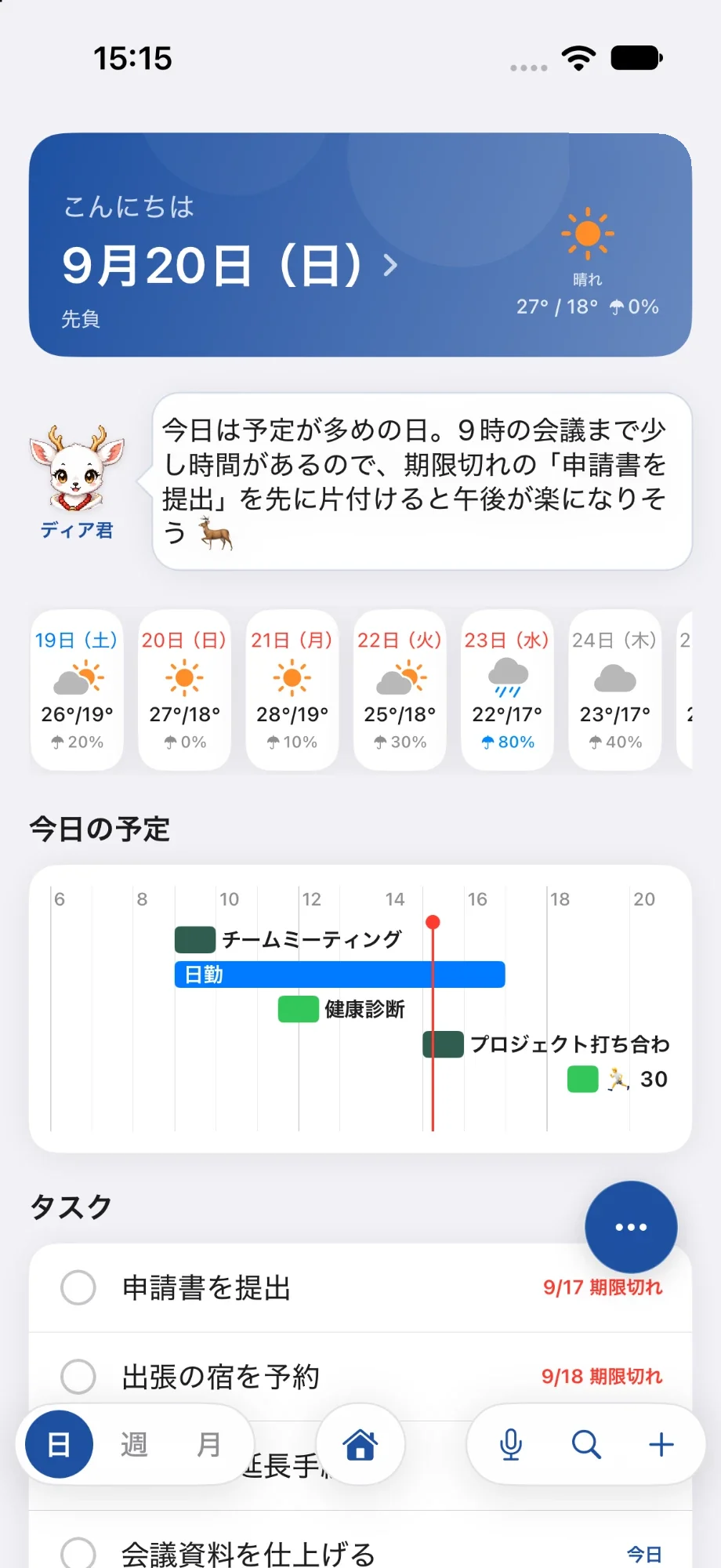
Screens show sample data from the app's showroom mode.
New in 1.6.0 · iPhone Duo
Fold it like a planner. Open it like a notebook.
Folded book-style, the left page is the month or week and the right page is the selected day, the same "month on the left, day on the right" layout Japanese planners have used for decades. Tap a day on the left; it opens on the right.
Open it flat and handwritten notes use the whole display as a true two-page spread, with page-turn controls on the outer edges where your thumbs are.
Everything reacts to the fold, not to the hinge angle: hubs slide in from the right page, menus stay clear of the fold and the status area, and the calendar keeps its time grid whether folded or open.
Available October 23, the day iPhone Duo ships. Requires iOS 27.1.
Illustration. Device screenshots will replace it before launch.
What paper never could
Ink that plays back. A secretary that listens.
The feel of a paper planner, plus the things paper never managed.
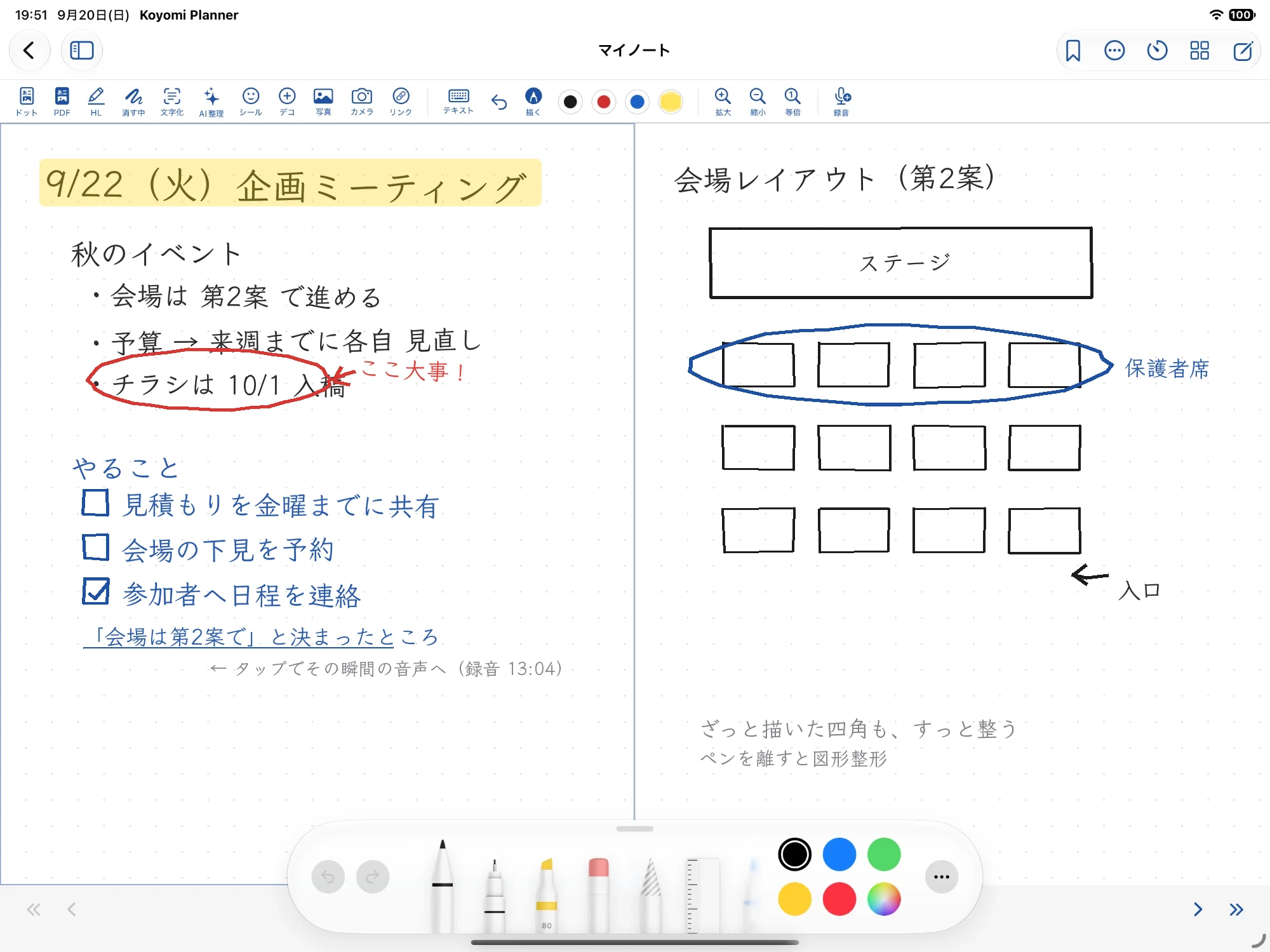
Record a meeting while you take notes. Every stroke is timestamped, so tapping a word jumps to what was being said. Minutes and action items are generated on device.
"Am I free tomorrow evening?" Events, tasks and notes by voice, through Apple Intelligence's on-device model. Nothing leaves the phone unless you choose a cloud model.
"Hey Siri, today's schedule in Koyomi" reads the day from the lock screen. Add events and tasks by voice with App Intents.
Opt in to HealthKit and see sleep, steps, energy intake and expenditure, weight and heart data next to your days. Daily and 7-day moving averages, and a compare view that overlays up to three series. Everything stays on the device.
Rokuyo, the 24 solar terms, auspicious days and traditional Japanese colors, right in the calendar.
Check on iPhone, write on iPad, and see the day's gantt chart on your Apple Watch face. Shift workers paint their shifts with one tap per day.
iPad
A spread you can write across.
On iPad the notebook opens as a two-page spread with washi tape, sticky notes and fourteen paper templates, from grid and dot to Cornell notes and staff paper. Pen presets, shape snapping and Apple Pencil Pro gestures are all there.
PDFs come in too: annotate with Apple Pencil, jump from the outline, search the text, and export with the text layer intact.
Fact sheet